
Clean Up Phone Storage: CleanX
TapSuiteTools
4.51.36K Reviews
- Version
- 1.0.9
- Installs
- 1.00M
- Age Rating
- Everyone
Screenshots



Our Review of Clean Up Phone Storage: CleanX
 Analysis by Appyee
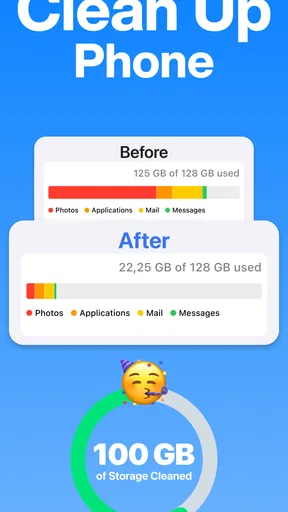
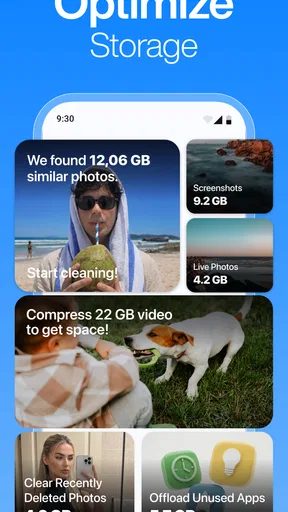
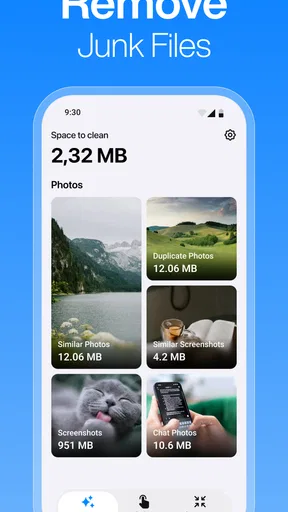
My phone usually runs out of useful space for a surprisingly boring reason: photos accumulate faster than I notice. Screenshots, near-identical shots, old downloads, and images I only needed for a few minutes quietly turn into a storage problem. CleanX: Clean Up Storage is built for that exact kind of maintenance. It is a free tools app from TapSuite that focuses on removing unwanted photos, finding duplicates, cleaning up the phone, and making storage easier to manage.
After using it as a cleanup utility rather than a one-time emergency fix, I found its main appeal fairly simple: it gives the job a dedicated place. Instead of opening the gallery, scrolling through months of images, checking folders, and trying to remember which copies are safe to delete, I can approach the mess as a review task. That does not make storage management completely effortless, but it reduces the mental work that normally makes me postpone it.
The app has a 4.5 average from around 11 thousand ratings and more than 500 thousand installs, which gives it a healthy level of interest for a relatively focused tool. It is rated for Everyone, costs nothing to install, and currently runs as version 1.0.5 on devices using iOS 11 or later. TapSuite has kept the concept narrow, and I think that is important: this is not trying to replace every maintenance feature on a phone. Its value depends on whether photo organization is the part of storage management that causes you the most trouble.
Why photo clutter is harder than it looks
The obvious storage problem is not always a single huge file. More often, it is a collection of small decisions I never made. I take five versions of the same picture, save a screenshot to refer to later, download an image for a message, and then forget about all of them. When the phone warns me about limited space, the gallery is full of items that are individually harmless but collectively inconvenient.
Manual cleanup has another weakness: it encourages cautious users to delete too little. I may recognize that a screenshot is old, but I still have to decide whether it might become useful. That hesitation is repeated across hundreds of images. A cleanup-focused app can make the process feel more deliberate because I am looking at unwanted material in the context of storage maintenance rather than casual browsing.
There is also a time cost. Scrolling through a large photo library is tiring, and the longer the task takes, the more likely I am to stop before reaching the folders that matter. CleanX is most useful when it turns a vague instruction such as “free some room” into a short, focused session. The real benefit is not simply deleting files; it is lowering the number of tiny judgments required before I can reclaim space.
That distinction matters when deciding whether to use it. Someone who keeps a carefully organized library and regularly removes unwanted images may not gain much. Someone who takes many screenshots, receives lots of media, or repeatedly postpones cleanup is a much better match. The app is aimed at the backlog, not at replacing thoughtful photo organization altogether.
A sensible first session
My advice is to begin with a short review instead of trying to empty the phone in one pass. The first useful setup is not about deleting everything that looks unnecessary. It is about learning how CleanX presents possible clutter and deciding how much control you want to keep. I would start with the least important material, such as old screenshots or temporary images, before touching personal photos that may have sentimental or practical value.
This approach creates a safer rhythm. Review a group, remove only what is clearly disposable, then pause and check the result in the phone’s normal photo library. That extra check may seem slow, but it prevents the common mistake of treating every visually similar image as interchangeable. A duplicate-looking photo can still be the better exposure, the sharper frame, or the version with the detail you actually wanted.
CleanX is free to download, but it includes optional purchases priced from $7.99 to $39.99 per item. That makes it worth paying attention to the point at which the free experience stops being enough for your routine. I would not commit to a purchase before testing whether the app actually fits the size and disorder of my library. A tool that saves me from regular manual cleanup can justify spending, but only if its workflow feels reliable on my own phone.
The age rating of Everyone also makes it approachable for a shared household, although I would still explain the deletion process before letting another person clean a family device. A simple interface does not remove the consequences of a mistaken tap. For a child or a less technical relative, I would recommend supervised use and a rule that personal albums are reviewed carefully rather than treated as clutter.
How I would use it in everyday life
One realistic scenario is preparing for a trip. Before leaving, I want enough room for new photos and videos, but I do not want to spend an evening inspecting the entire library. I would use CleanX to deal with screenshots, failed shots, and repeated images first. The useful insight here is that cleanup before an event is better than cleanup during it: when storage is already tight, I am more likely to delete quickly and regret the decision later.
Another scenario is after a long messaging conversation. A person may save several images from a chat, use some of them once, and then forget they remain on the phone. Those files are easy to overlook when browsing the main camera roll. A dedicated cleanup session gives me a reason to look at accumulated material as a group. I can remove the temporary items while leaving the images I genuinely want to keep.
It can also help after a period of heavy screenshot use. I often capture confirmation pages, directions, product details, and instructions because I need them immediately. The problem is that “immediately” rarely means “forever.” A weekly or fortnightly review of screenshots is more practical than waiting until the phone is nearly full. CleanX makes sense in that routine because the task is repetitive and easy to postpone.
My favorite less-obvious use is a two-stage cleanup before backing up a photo library. Removing obvious clutter first means I am not spending backup space on images I already know I do not need. It also makes later searching easier. This does not replace a proper backup, and I would never use a cleanup app as my only copy of important memories. The order matters: preserve valuable photos somewhere safe, then remove confirmed junk.
For people who take burst-like sequences without intending to keep every frame, the trade-off is more subtle. Similar images may be the main source of wasted space, but they are also where judgment matters most. I would compare expressions, focus, lighting, and composition rather than selecting the first image that looks acceptable. The app can shorten the path to a decision, but it cannot know which moment matters to me.
Where the app saves time
The strongest friction removed by CleanX is the need to remember where clutter came from. Without a focused utility, I might check the photo library, downloads, screenshots, and conversations separately. That scattered approach makes cleanup feel like several unrelated chores. Bringing the task into one storage-oriented workflow gives me a clearer beginning and end.
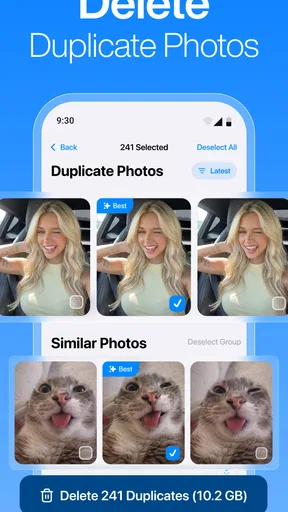
It also helps with decision fatigue. Deleting one image is easy; deciding what to do with a long series of almost identical images is not. A tool dedicated to duplicates and unwanted photos encourages me to process related items together. That is a meaningful improvement over random scrolling because I can make one consistent decision for a group and move on.
There is a practical psychological advantage too. I am more likely to maintain a phone when the cleanup session feels finite. Even if I do not remove a dramatic amount of space every time, a regular short review prevents the backlog from becoming intimidating. For me, the best workflow would be to clean after a busy week of photography rather than waiting for a warning from the operating system.
Still, I would not describe the app as a magic optimizer. Storage is affected by more than photos, and a photo cleanup tool cannot solve every cause of a full phone. Large videos, offline media, documents, and app data may remain the real problem. If my storage warning appears after downloading a large collection of films or keeping several demanding games installed, CleanX may only make a small difference.
That is where the usual alternatives can be better. The phone’s built-in storage screen is often the better first stop when I need to understand what is consuming space across the whole device. The standard photo app is preferable when I want careful album-by-album organization, editing, or long-term archiving. Cloud photo services are more suitable when the goal is backup and access across devices. CleanX is strongest in the middle: faster than manual browsing for clutter, but narrower than a complete storage manager or backup system.
Important habits before deleting
I would never begin by assuming that every suggested duplicate is disposable. Similarity is not the same as uselessness. A photograph may look nearly identical to another while preserving a different crop, a better expression, or a higher-quality original. I would inspect the group, keep the best version, and only then remove the rest.
I would also avoid using a cleanup session as the moment to make emotional decisions. Old family photos, travel memories, and personal documents deserve a slower review. CleanX is convenient for routine clutter, but convenience is not a reason to rush irreplaceable material. If I feel uncertain about an image, I keep it and revisit the decision later.
A second useful habit is to separate cleanup from backup. If an image matters, I want another safe copy before deleting anything. This is especially important when freeing space before travel or an important event, because those are the moments when losing a photo would be most frustrating. The app can support the preparation, but it should not be treated as a backup destination.
Finally, I would check the phone after a cleanup rather than trusting the process blindly. Confirm that the intended items disappeared, that important albums still look right, and that the available space improved enough to matter. This quick verification is a small step, but it turns a potentially careless deletion session into a controlled maintenance routine.
Who should use CleanX, and who should skip it
I would recommend CleanX to people whose camera roll is dominated by repetition and temporary images. It is a good fit for frequent screenshot takers, users who save images from conversations, and anyone who keeps postponing storage maintenance because the built-in gallery feels too slow to review. It is also useful for someone preparing a device for travel, a software update, or a period when they expect to take many new photos.
I would be more cautious about recommending it to photographers who need precise file control, people with carefully curated libraries, or users whose main storage problem is video and app data. Those users may get better results from the phone’s own storage controls, a dedicated photo-management system, or a backup workflow. Installing a specialized cleaner will not automatically help if the wrong type of content is filling the device.
The optional purchase range also makes the decision personal. A casual user may find the free access sufficient, while a person who performs large cleanups regularly may value expanded access enough to consider paying. I would judge that by repeated use, not by the promise of a single dramatic cleanup. If the app becomes part of my weekly routine and consistently saves time, the cost is easier to understand; if I only need it once, the free option may be the sensible boundary.
My final view after using it
CleanX: Clean Up Storage is a focused answer to a common problem: the phone is not necessarily full of important memories, but it is full of repeated and temporary images that are difficult to sort manually. TapSuite has positioned this app as a practical tool rather than a broad device-management suite, and that focus is its main strength.
I like it most when I use it before storage becomes urgent. A short, cautious session can remove the friction of hunting through different parts of the photo library, while the duplicate-cleanup angle helps me address the clutter that ordinary scrolling tends to leave behind. The app is particularly convincing for everyday maintenance, not for replacing backups, organizing a professional archive, or diagnosing every storage issue on a phone.
My honest recommendation is to try it if your gallery contains a growing mix of screenshots, near-duplicates, and images you saved temporarily. Start with low-risk clutter, verify what remains, and keep important photos backed up separately. If your device is full because of videos, documents, or large apps, begin with the system storage controls instead. CleanX is worth considering when the problem is photo clutter and the goal is less time spent deciding what can safely go.
Privacy and Permissions
See what permissions an app requests and how it handles your data.
- Contacts
- read your contacts, modify your contacts
- Photos/Media/Files
- read the contents of your USB storage, modify or delete the contents of your USB storage
- Storage
- read the contents of your USB storage, modify or delete the contents of your USB storage
- Other
- view network connections, full network access, change your audio settings, run at startup, prevent device from sleeping, Google Play license check
Verdict
Strengths of Clean Up Phone Storage: CleanX
- Quickly identifies large files, duplicates, and unused media.
- Simple interface makes storage cleanup easy for beginners.
- Helps free space without requiring advanced technical knowledge.
- Useful filters make it easier to review photos and videos.
- Can improve device organization by grouping cluttered files.
Limitations of Clean Up Phone Storage: CleanX
- Some suggested files may require careful review before deletion.
- Scanning large photo libraries can take noticeable time.
- The most useful cleanup tools may be limited to premium users.
- Results can vary depending on device permissions and file access.
- Regular scans may be needed as new clutter continues to accumulate.
Other Releases by TapSuite
View All
Chatbot App - AI Assistant
Productivity4.2

Deepsearch AI Search Assistant
Lifestyle4.3

Scanner App - Scan PDF & Docs
Tools4.5
Similar Picks in This Category
View All
Google LLC4.0

Gboard - the Google Keyboard
Google LLC4.5

Google Play services
Google LLC4.3

Google Play Store
Google LLC4.9

Files by Google
Google LLC4.5

SHAREit: Transfer, Share Files
Smart Media4U Technology Pte.Ltd.4.3
Frequently Asked Questions
What is CleanX: Clean Up Storage used for?
CleanX: Clean Up Storage is designed to help you organize and free space on your mobile device. It can scan for items such as duplicate photos, similar images, large videos, screenshots, and other files that may no longer be needed. After reviewing the results, you can select unwanted content and remove it to make storage management easier.
Is CleanX: Clean Up Storage safe to use?
The app is generally safe when downloaded from the official App Store or Google Play listing, but users should still review every suggested item before deleting it. Cleaning tools can identify files that appear unnecessary, yet an important photo or document may occasionally be included. It is recommended to keep backups of valuable content and check the app’s permissions and privacy information.
Can CleanX delete photos, videos, or files automatically?
CleanX normally presents files for review before removal, allowing you to decide what stays on your device. However, the exact cleaning process and available automation options may depend on the version, operating system, and subscription settings. Before confirming a cleanup, carefully inspect selected items and make sure anything important has already been backed up elsewhere.
Is CleanX: Clean Up Storage free to download?
CleanX may be available to download at no initial cost, but some features can require a premium subscription or in-app purchase. Advanced cleaning tools, unlimited scans, or an ad-free experience may not be included in the free version. Check the current store page for pricing, trial conditions, renewal details, and cancellation instructions before starting any paid plan.
Will CleanX improve my phone’s performance?
Removing unnecessary files with CleanX can free storage space and make it easier to manage a crowded device, especially when large videos or duplicate media are taking up room. However, it is not a guaranteed solution for every performance problem. Slowdowns may also be caused by outdated software, battery health, background apps, or limited device hardware.
